
By Behnood Neshat · Published
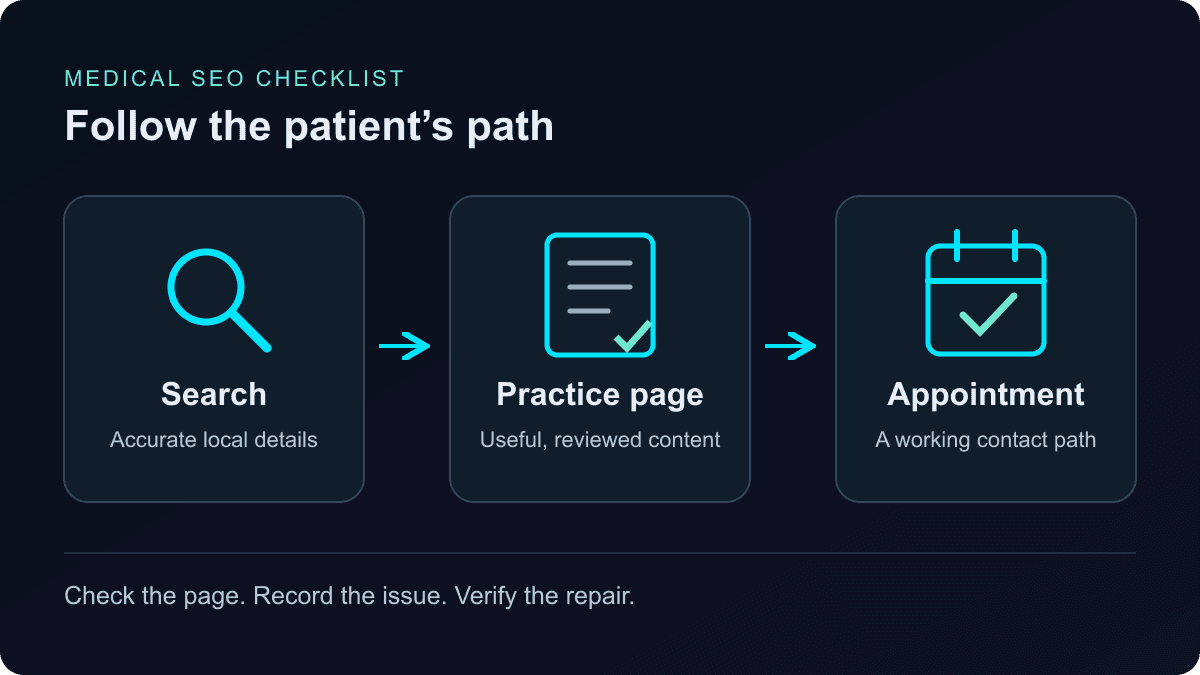
Medical SEO helps people find a practice through searches for its clinicians, services and locations. Useful visibility ends with a patient understanding whether the practice fits their needs and how to contact it. Start with accurate information, accessible pages and a working appointment path before commissioning more articles.
Use this checklist on your homepage, one important service page, one location page and one clinician profile. Record the URL, what failed, the person responsible and the evidence needed to close the issue. It gives a practice manager and a developer the same definition of done.
1. Match each page to a patient’s task
Separate finding a provider from researching a health question. Someone searching for a specialty in their city needs location, clinician and appointment information. Someone researching a procedure needs a carefully reviewed explanation. One page rarely serves both tasks equally well.
Make a small map: query, patient task, best existing URL and missing information. For example, an illustrative search for “dermatologist in Irvine” belongs with a real Irvine practice page. A question about preparing for an offered appointment belongs in the relevant service page or a reviewed guide linked from it. These are examples, not claims about services Neshat.ai provides.
Pass: each priority task has one clear destination. If it fails: improve an existing page before creating another that repeats it. Do not publish a set of city pages unless each gives patients meaningful, accurate local information.
2. Check local SEO for doctors against real practice details
Compare your Google Business Profile with the corresponding website page: practice name, street and suite, telephone, hours, appointment link and services. Open the booking link yourself. Check holiday hours and remove outdated claims about accepting new patients. Assign one staff member to maintain this information when operations change.
Use the practice’s real name and relevant categories. Practitioner profiles have separate eligibility and naming rules; do not create a profile for every specialty a doctor offers. Check Google’s business and practitioner profile guidelines before adding or merging listings.
Google describes local ranking in terms of relevance, distance and prominence. Accurate information helps Google match a practice to a search, but a website edit cannot change the searcher’s distance. See Google’s local ranking guidance.
Pass: the profile and location page agree, and contact links reach the right office. If it fails: correct the conflicting fields at their source. Ask your privacy lead to approve review requests and public replies; Google prohibits incentives for reviews.
3. Give service pages the facts patients need
Replace broad claims such as “exceptional care near you” with verifiable details. Say which service is offered, where appointments take place, who provides it and how a new patient begins. Explain practical requirements the office can confirm, such as whether a referral is needed and how to check insurance participation.
A useful page brief might read: “Annual wellness visits at our Irvine office.” Supporting sections would identify the clinicians who offer them, describe the practice’s appointment process, provide directions and explain how to confirm coverage. This is an illustrative brief; publish only details the practice has verified.
Use a descriptive page title and a clear main heading, followed by headings that answer real questions. Link to the relevant clinician profile, location and appointment page. A city name repeated in every paragraph adds no useful information.
Pass: a new visitor can identify the service, provider, location and next step without opening another search. If it fails: ask reception which questions patients repeatedly call to clarify, then answer those on the page.
4. Make expertise and clinical review visible
SEO for medical practices needs an editorial process appropriate to the subject. A directions page needs an operational accuracy check. A page discussing symptoms, treatment benefits or risks needs review by an appropriately qualified clinician before publication.
Show who wrote the material, who reviewed clinical statements and when a substantive review occurred. Link to the reviewer’s profile with verified qualifications. Cite the primary clinical guidance used for medical claims, and revisit content when that guidance changes. An AI-generated draft still needs this work.
Google’s helpful content guidance emphasizes trust, clear sourcing and identifying who created content, with particular attention to topics affecting health. A byline is useful accountability; adding one does not establish expertise on its own.
Pass: each clinical page has an identifiable qualified reviewer and traceable support for its medical statements. If it fails: send it through clinical review before expanding or promoting it. Do not invent credentials, patient stories or outcome statistics.
5. Check crawling, indexing and structured data separately
For each public page you want found, use Search Console’s URL Inspection. Check that Google can access it, receives a successful response and sees the important text. Confirm there is no accidental noindex, the canonical points to the intended URL, and relevant internal links reach it. Google’s technical requirements explain eligibility; meeting them does not guarantee indexing.
Keep patient portals and private records behind appropriate access controls. Robots.txt controls crawling; it is not access protection. A blocked URL and a deliberately private page require different decisions.
Structured data should describe the real practice and information visible on the page. Compare names, addresses, hours and URLs with the page itself. Use Google’s Local Business documentation and Rich Results Test to investigate errors. Do not invent an address or reviews to satisfy a validator; structured data policies require accurate, representative content.
Pass: intended public pages are accessible, indexable and internally linked, with accurate markup and no applicable critical validation errors. Record actual indexing separately. If it fails: fix access or indexing directives first, then retest the live URL.
6. Test the path from search to appointment
On a phone, open a service page as a new visitor. Find the office, tap the telephone number and follow the appointment link. Check that the correct location stays selected, buttons remain usable and the page does not jump while loading. Use an approved test process without submitting a real appointment or patient information.
Explain whether a form requests a callback or confirms a booking. Put expected response times on the page only when the team can honor them. Route decisions about forms, tracking tools and patient information to the practice’s privacy lead before implementation.
Pass: the correct office can be reached and the next step is clear on mobile. If it fails: repair the broken link, misleading label or obstructed control before buying more traffic.
7. Measure discovery and patient actions separately
Save a baseline before editing. In Search Console, review impressions, clicks and queries for the affected pages. Separate searches containing the practice or clinician name from searches for a service and location. Compare similar periods and note changes in staffing, availability or seasonality that could affect demand.
With the privacy lead’s approval, measure appropriate appointment-path actions separately. A telephone tap is not an answered call; a booking-link click is not a completed appointment. Keep these labels distinct in reports. Avoid sending form contents or patient details into marketing analytics.
Pass: every reported metric has a definition, source and comparable baseline. If it fails: resolve measurement gaps before claiming improvement. The free AI visibility checker can add evidence about your public website; it does not measure patient bookings or replace Search Console.
Turn the findings into a 30-day work plan
- First: fix inaccessible priority pages, incorrect practice details and broken contact paths. Save before-and-after evidence.
- Next: improve one important service page and its linked clinician and location pages. Get operational and clinical review where needed.
- Then: validate structured data, recheck indexing and compare the early measurements with your baseline. Allow more time before attributing ranking changes to the work.
Choose the next article from an unanswered patient question, not a word-count target. Neither this checklist nor a medical SEO service can promise a first-page position. Google’s SEO starter guide explains that effects vary and can take months to assess.
If you need implementation help, see the scope of our medical SEO services for doctors and SEO packages. Bring a few priority URLs and the patient journeys they should support; that makes a useful starting brief.